Guido Zambarda's Avatar

Guido Zambarda

@guidozam

Microsoft MVP | Microsoft Certified | Senior Software Developer | PnP Contributor

106
Followers
133
Following
47
Posts
06.11.2024
Joined
Posts Following

Latest posts by Guido Zambarda @guidozam

Preview
Storing App Configuration in OneDrive with Microsoft Graph using an SPFx Web Part Introduction When building a SharePoint Framework web part, choosing where to store configuration can be surprisingly complex. SharePoint lists require provisioning, tenant properties can be restrictive, and hardcoded values aren’t maintainable nor a good practice. A cleaner alternative is to use Microsoft Graph—specifically the /me/drive/special/approot endpoint—to store configuration files in a secure, app-scoped folder within the current user’s OneDrive. The 

New blog post! 💡
If you're building #SPFx solutions in Microsoft 365 and want a cleaner way to manage users configuration outside property panes, SharePoint lists or additional code such as Azure functions, this post demonstrate how to use OneDrive and Microsoft Graph to store configurations.

18.02.2026 10:01 👍 0 🔁 0 💬 0 📌 0
Preview
Using the PropertyFieldOrder from the PnP reusable property controls Introduction Proceeding our dive into the PnP reusable property pane controls, I want to cover the PropertyFieldOrder control. The PnP reusable property pane controls is a package that contains a lot of useful controls that can be used in any SharePoint Framework web part's property pane, if you want to know more about this you can check out the official site…

New blog post! 📣

In this one I will cover the PropertyFieldOrder control from the #PnP property controls.

This is a very nice control to allow ordering items in your #SPFx web part's property pane!

04.02.2026 10:01 👍 0 🔁 0 💬 0 📌 0
Preview
Render a Mermaid diagram in an SPFx web part Introduction Mermaid is quite useful, no doubt about that. It might also be useful to display diagrams in a SharePoint Online site. So, why not displaying a mermaid diagram in an SPFx web part? If you don't know Mermaid you can have a look here. Visual appearance Let's start having a look at a sample solution I've prepared. The solution is composed of a web part that allows, through the property pane, to configure the diagram to be shown.

Blog post alert! 🥁

I just published a fresh article on how to use an #SPFx web part to display #Mermaid diagrams.

If you’ve ever wanted to embed clear, version-friendly diagrams directly into SharePoint pages, Mermaid + SPFx is a powerful combo.

14.01.2026 10:01 👍 0 🔁 0 💬 0 📌 0
Preview
Contributing is my Favorite 2025 - Microsoft 365 & Power Platform Community was issued by Microsoft 365 & Power Platform Community to Guido Zambarda. Contributing is my Favorite - Microsoft 365 & Power Platform Community badge earners contributed to one or more Microsoft 365 & Power Platform Community initiatives within November to December in the ...

View my verified achievement from @community.ms www.credly.com/badges/52138...

31.12.2025 11:29 👍 0 🔁 0 💬 0 📌 0
Preview
Automate Microsoft MFA login using Playwright Introduction During a session at ESPC 25, where I and the awesome Peter Paul Kirschner talked about developing, testing and deploying a SPFx solution, a person asked if Playwright supports MFA: the answer is yes, using a TOTP. This article wants to be an answer to that person and to everyone who wants to use Playwright but has strict company policies regarding MFA.

🆕 New blog post: Automate Microsoft MFA Login Using Playwright

I share a simple, practical approach to handling Microsoft #MFA in #Playwright tests in an #SPFx project—no fluff, just what works.

If you’re testing apps that use Microsoft MFA login, this should help!

17.12.2025 10:02 👍 1 🔁 0 💬 0 📌 0
Preview
Copying Arrays in TypeScript: Spread vs Deep Linking TLDR: use the spread operator for arrays of non-object items, otherwise you need to copy the array breaking the deep link of the objects using, for example, JSON.parse and JSON.stringify. If you're interested in knowing more keep reading! With this post I want to remind (mostly to myself) that there are different ways of copy an array. Sometimes, the behavior can be odd, and then you suddenly realize that the problem was the way you copied the array!

Finally I had some spare time to write a quick blog post! 🎺

This time is more a hint than anything else.

A while ago I lost some time on this, so I wrote a quick article to remind myself what to do when you have to copy arrays of complex objects in order to remove the object deep linking 😊

03.12.2025 10:04 👍 1 🔁 0 💬 0 📌 0
Post image

💡 Copilot Learning Center on SharePoint:

Learn Copilot, surface all #Copilot & #SharePoint Agents, and interact—built with SPFx + PnP. With @tmaestrini.bsky.social, @nishkalankbezawada.bsky.social, @guidozam.bsky.social, @kasuken.bsky.social.

📺 Watch → youtu.be/4Z6XTymz-FY

#Microsoft365 #SPFx

11.11.2025 08:30 👍 5 🔁 3 💬 0 📌 0
Preview
SPFx extensions: discover the field customizer Introduction SharePoint Framework offers different extension project types, for example the Application customizer (more here), those extensions allow customization of the standard SharePoint Online UI/UX. With this article I will cover the field customizer extension. This extension allows customizing the appearance of a specific field of a SharePoint Online list. To demonstrate the use of a simple field customizer I've created a sample solution that you can find…

Once again: let's bring it back to basics!

Have you ever created an #SPFx field customizer? Are you wondering about how to create and use it?
This blog post is perfect for you!

Let's discover how to customize the #SharePointOnline UI/UX!

15.10.2025 09:01 👍 2 🔁 0 💬 0 📌 0
Video thumbnail

Who’s making a difference in our community? ✨ Nominate them for the ESPC25 Inspire Awards 👉 ow.ly/T5EL50WQZNl

Judges: @luisefreese.bsky.social @maarten.eekels.net @thoughstuff.bsky.social & Chris O'Brien

#ESPC25 #TechCommunity #CelebrateCommunity #MicrosoftCommunity #Microsoft #MVP #TechAwards

12.09.2025 08:56 👍 6 🔁 2 💬 0 📌 0
Preview
Essential Logging Techniques with @microsoft/sp-core-library Introduction Ever you wonder what the Log class of the @microsoft/sp-core-library does? I did, so I tried it a little bit more in order to better understand how it works and what can be done with it. If you need a reference about how to use it you can have a look at a simple sample project here. First thing first: the developer dashboard…

Blog post alert! 🚨

Ever struggled to track what’s really happening inside your #SPFx solutions?

The Log class is your best friend for debugging and tracing issues.

If you’re building SPFx solutions, this is a good-to-know functionality to make your development easier.

17.09.2025 09:01 👍 0 🔁 0 💬 0 📌 0
Preview
Explore the features of SharePoint’s Developer Dashboard Introduction Do you know that SharePoint offers the ability to open a panel dedicated to developers? This panel is called developer dashboard. Let's have a look at it! How to open it The developer dashboard is a useful panel that offers developers useful capabilities about SharePoint Framework solutions. In order to open the developer dashboard you just need to press…

⏰ New blog post alert!
Today I want to cover a pretty basic but useful tool for #SPFx developers: the developer dashboard!

If you don't know it or ever wonder what is it for this is the right resource for you!

03.09.2025 09:01 👍 0 🔁 0 💬 0 📌 0
Release notes - @pnp/spfx-controls-react

If you didn't noticed, last month we released a new version for PnP React Controls (3.22.0)!

This one has a bunch of new stuff such as new control, SPFx 1.21.1 support, improvments & some fixes!

Feel free to give it a try!

pnp.github.io/sp-dev-fx-co...

#PnPControls #SPFx #M365Dev

21.08.2025 14:44 👍 1 🔁 1 💬 1 📌 1
Preview
Microsoft 365 & Power Platform Call (Microsoft Speakers) - Community Takeover – August 26th, 2025 – Screenshot Summary - Warner Digital - David Warner II Call Highlights   SharePoint Quicklinks: Primary PnP Website: https://aka.ms/m365pnp Documentation & Guidance SharePoint Dev Videos Issues List —– Sharing Is Caring: A community initiative that...

Screenshot Summary– @community.ms #M365 & #PowerPlatform MS Speakers Aug 26 Comm Call

Demos by Elianne Burgers​, @tmaestrini.bsky.social‬, @nishkalankbezawada.bsky.social, @guidozam.bsky.social & @kasuken.bsky.social

TY @vesajuvonen.bsky.social

#SharingIsCaring 🧡💜🫶🏻

warner.digital/ms-speakers-...

26.08.2025 16:00 👍 1 🔁 1 💬 0 📌 0
Post image

📆 Creating #Copilot Learning Center Portal - #SharePoint Hackathon

• Demo on 26th of August 8 AM PT
• Presented by @tmaestrini.bsky.social, @nishkalankbezawada.bsky.social, @guidozam.bsky.social & @kasuken.bsky.social 👏
• Everyone is welcome!

👋 Invite → aka.ms/community/ms...

#Microsoft365 #SPFx

25.08.2025 09:12 👍 1 🔁 1 💬 0 📌 0

Preview
Use PnPjs to handle data in local and session storage Introduction Proceeding with the appointments with the PnP packages, the PnPjs package is a great tool to help developers getting things done pretty quickly. With that in mind, in this post we will cover the PnPClientStorage class offered by the package. If you're interested you can find the code of this sample here. Visual appearance Starting with the visual appearance of the sample solution, it displays as follows:

New blog post! 📣
If you, like me, never fully liked using the browser storage, this is for you!

With this blog post I will cover how to use #PnPjs to store data in the local and session storage with ease 🤩

Improve your #SPFx solution with this simple yet awesome capability!

30.07.2025 09:04 👍 0 🔁 0 💬 0 📌 0
Preview
Discover the ListView control from the PnP reusable React controls Introduction Proceeding with the appointments with the PnP React controls today I want to talk about the ListView control. If you're interested you can find the code of this sample here. The ListView control is used to display a view for specific items. Visual appearance There are a lot of possibilities with this control, here I want to show some of those functionalities and I will start, as usual, with the visual appearance of the various features.

Today I’m diving into the ListView control from the PnP #React Controls, a powerful, out-of-the-box component that can instantly boost the UX of your #SPFx solution.

If you’re looking to upgrade list rendering in your project, this is one you don’t want to miss.

16.07.2025 09:03 👍 1 🔁 0 💬 0 📌 0
Preview
Practical SharePoint Framework (SPFx) Development, a book review Introduction I’m a huge fan of technical books — especially those aimed at beginners.If you’ve been following my blog, you already know how passionate I am about helping newcomers. When I started my career as a developer, I had only a basic understanding of object-oriented programming and a pile of books to guide me through my journey. Recently, I came across a fantastic book on Packt titled…

Today I wanted to do something different than my other posts.

Last week a new book regarding #SPFx development has been released, and I thought it deserved a review.
This is a very good book both for beginners and experienced users. Interested in what it covers? Check out my post to discover more!

02.07.2025 09:09 👍 0 🔁 0 💬 0 📌 0
Preview
Discover the Progress control from the PnP reusable React controls Introduction Proceeding with the appointments with the PnP React controls today I want to talk about the Progress control. If you're interested you can find the code of this sample here. Visual appearance First of all let's start with the visual appearance of the control. In the sample the control pane is used to enable the user changing the behavior of the control.

New blog post about the #PnP #react controls for #SPFx 📣
Today I decided to cover the Progress control.

Are you planning to offer a wizard-like user experience? This control is perfect for you!

18.06.2025 09:02 👍 0 🔁 0 💬 0 📌 0
Post image

#BeConnectedday is on!

#CommunityRocks #BCD25

05.06.2025 10:41 👍 1 🔁 0 💬 0 📌 0

Preview
Simplifying localization testing of an SPFx solution in the workbench Introduction Localization is nowadays one of the most important things when developing a solution. Since not everyone knows English it is worth to support multiple languages. But to test this can require some settings change in our browser or in the account, right? Wrong. There are a couple of ways to test your localization without having to update your settings.

Did you know that in the workbench you can change the localization of your #SPFx solution without needing to change your browser or account settings?

Interested? 🤔

This blog post is for you! Check it out! 🚀

28.05.2025 09:02 👍 3 🔁 0 💬 0 📌 0
Post image

Exciting news! I am delighted to be speaking at #ESPC25 in Dublin 1-4 Dec. Check out the newly launched conference schedule today: www.sharepointeurope.com/conference/s...

Can't wait to team up with @petkir.bsky.social to deliver amazing sessions!

09.05.2025 12:31 👍 3 🔁 0 💬 0 📌 1
Preview
Discover the PropertyGridField control from the PnP property controls Introduction Proceeding our dive into the PnP reusable property pane controls I want to cover the PropertyGridField control. The PnP reusable property pane controls is a package that contains a lot of useful controls that can be used in any SharePoint Framework web part's property pane, if you want to know more about this you can check out the official site…

Let's continue our dive into the #PnP property controls with the PropertyGridField! 📣
This control renders a useful grid to enable the selection of items in your #SPFx web part's property pane.

07.05.2025 09:05 👍 0 🔁 0 💬 0 📌 0
Release notes - @pnp/spfx-controls-react

We've just release new version of PnP React Controls (3.21.0) and Property Controls (3.20.0)!

Thanks again to all the contributors which helped during PnP March Challenge!

Check it out!

pnp.github.io/sp-dev-fx-co...

pnp.github.io/sp-dev-fx-pr...

#PnPControls #SPFx #M365Dev

01.05.2025 14:44 👍 5 🔁 8 💬 1 📌 1
Preview
How to configure flexible layout in SharePoint Framework web part Introduction SharePoint Framework version 1.21 is in RC at the time of writing and I couldn't resist to try one of the new functionalities: the support to flexible sections. I'm writing about a SPFx release candidate version, the final release can differ from the RC. Flexible sections are a great new feature in SharePoint Online. Those sections enables a more customizable layout inside SharePoint pages.

Have you heard? #SPFx version 1.21 RC is out in the wild! 📢

I put together a quick blog post on how to configure default dimensions for your web parts when using the new flexible sections in #SharePoint Online.

If you're experimenting with the latest updates for modern pages, this might help!

17.04.2025 11:31 👍 2 🔁 0 💬 0 📌 0
Post image

📆 Agenda for the #Microsoft365dev & #PowerPlatform call 8th of April

• The latest updates
• Demos this time on #Copilot, #Agents, #PowerApps
​• Presented by Kanna M, @aycabas.bsky.social, @aprildunnam.bsky.social and @davidwarnerii.bsky.social

+and more 🚀

👋 Join the call → aka.ms/community/ms...

06.04.2025 12:15 👍 5 🔁 3 💬 0 📌 0
Preview
How to use custom fonts in a SharePoint Framework solution Introduction Do you need to specify a custom font in your SharePoint Framework solution? This blog post is for you. SharePoint Online nowadays supports custom fonts through Brand Center, allowing organizations to enhance their branding by incorporating unique typography. However, in certain cases, it might be necessary to use a particular font that align with the company’s branding guidelines, and for some policies, it's not allowed to load it from an external URL, which can pose a significant challenge.

📜 Need to use custom fonts inside your #SPFx solution?
Do you need to embed those because for any reason you cannot load them through URL?
You cannot use Brand Center?

This blog post is for you! 💡
Let's understand how to embed and use the font files in a web part inside #SharePointOnline.

02.04.2025 09:39 👍 0 🔁 0 💬 0 📌 0
Preview
Enhance your SPFx solution with search capabilities using PnPjs Introduction Search is always a nice addition to application, with this blog post I want to introduce you about how to leverage PnPjs to enhance the search capabilities of your SPFx project. PnPjs …

Today I want to cover how to enhance your #SPFx project adding a basic search implementation using the #PnPjs package. With that you can search the whole tenant or a specific SharePoint site.
If you want to have an idea of how to use it this blog post is for you!

26.03.2025 10:52 👍 0 🔁 0 💬 0 📌 0

Building Beautiful SharePoint Portals: Latest Features in Action | SharePoint Hackathon
Building Beautiful SharePoint Portals: Latest Features in Action | SharePoint Hackathon

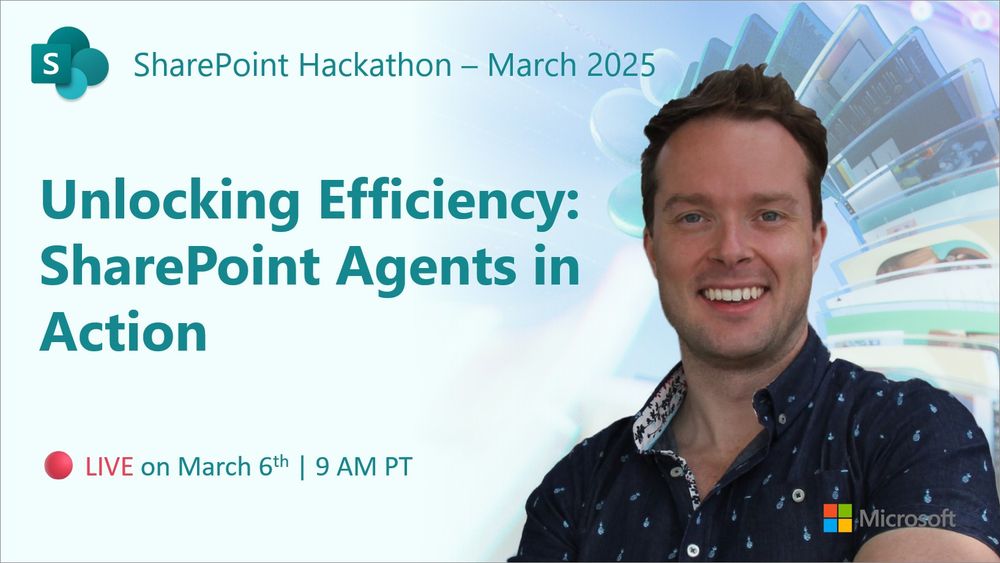
Unlocking Efficiency: SharePoint Agents in Action | SharePoint Hackathon

Unlocking Efficiency: SharePoint Agents in Action | SharePoint Hackathon

Transforming Employee Experiences w/ Stunning Dashboards in Viva Connections | SharePoint Hackathon

Transforming Employee Experiences w/ Stunning Dashboards in Viva Connections | SharePoint Hackathon

Using SharePoint Framework (SPFx) to elevate SharePoint portal UX | SharePoint Hackathon

Using SharePoint Framework (SPFx) to elevate SharePoint portal UX | SharePoint Hackathon

As you ponder your submission for the *SharePoint Hackathon) (Psst: Mar. 17 deadline), catch up on all the learning webinars to get inspired on what and how to hack! 🤔

Full, on-demand playlist ▶️ aka.ms/SharePoint/Hackathon/playlist

Main hackathon site 📄 aka.ms/SharePoint/Hackathon

13.03.2025 18:53 👍 8 🔁 4 💬 0 📌 0
Preview
Toggle between dark and light themes using the MGT ThemeToggle control Introduction Proceeding with the appointments with the MGT (Microsoft Graph Toolkit) controls today I want to talk about the ThemeToggle control. The control is a little bit different than the other MGT controls. This one does not need a context to be set so you don't need to prepare (almost) anything in order to use the control. The ThemeToggle control allows you to toggle from a light to dark theme (and vice versa) for all the MGT components.

Are you team dark mode or light mode? 🌑☀️

With the #MicrosoftGraphToolkit ThemeToggle control, you can easily let users switch between light and dark themes in your #SPFx solutions—no extra effort needed!

05.03.2025 10:33 👍 0 🔁 0 💬 0 📌 0
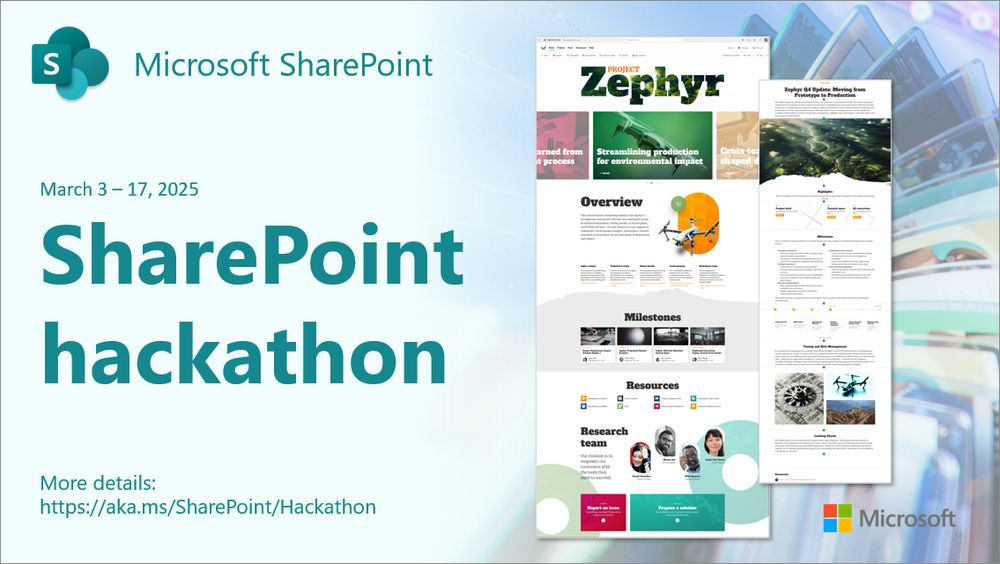
SharePoint Hackathon | Design, create, share! We are excited to invite you to a hackathon dedicated to crafting exceptional employee experiences using AI and the latest SharePoint features! Submission deadline: Monday, March 17, 2025 at 11:59 PM PST

SharePoint Hackathon | Design, create, share! We are excited to invite you to a hackathon dedicated to crafting exceptional employee experiences using AI and the latest SharePoint features! Submission deadline: Monday, March 17, 2025 at 11:59 PM PST

Join in 🎨 SharePoint Hackathon 🗓️ March 3-17

It's your turn | Design and submit:
✨ Beautiful portals
🤖 Useful SharePoint agents
🧰 Extensible components

🏅 All contributions credited
✅ Register today aka.ms/SharePoint/Hackathon

#Microsoft365 💚 #SharePoint 💚 #SPFx 💚

26.02.2025 16:25 👍 13 🔁 7 💬 0 📌 2