



Huge congratulations to @salesforcewill.bsky.social on his Golden Hoodie - what an inspiration you are!
12.06.2025 09:35
👍 12
🔁 1
💬 2
📌 1
Huge congratulations to @salesforcewill.bsky.social on his Golden Hoodie - what an inspiration you are!

@salesforcewill.bsky.social massive congratulations on the Golden Hoodie!


#Thankyou #AwesomeAdmins for making our event tonight so fun & special!
We had 6 great talks, 3 #MVP speakers, 1 Interviewed #MVP, tons of #swag and a #raffle
Huge thanks to EPAM and TITAN for hosting & sponsoring us
@cejhoney.bsky.social @silviadenaro.bsky.social @salesforcewill.bsky.social
Massive thanks to all our #speakers, international guests and @salesforce.com #superstars
Can't wait to catch up with you at #Agentforce #WorldTour #London tomorrow! 💙💙
Who else is attending? 🎊
So cool!
PSA for those attending #Salesforce Agentforce World Tour London - if you wear your Shirtforce tee and find either Chris, @robsalesforce.com , @toddhalfpenny.com , or @salesforcewill.bsky.social then you can have one of these Troublemaker tees for your plushie*
*whilst stocks last, 1 per person

If you're looking for an extensive list of all the fun new stuff coming to #Salesforce Flow in Summer '25, this is a blog post for you. We are doing our best to deliver what you asked for and we're not stopping here.
admin.salesforce.com/blog/2025/ac...
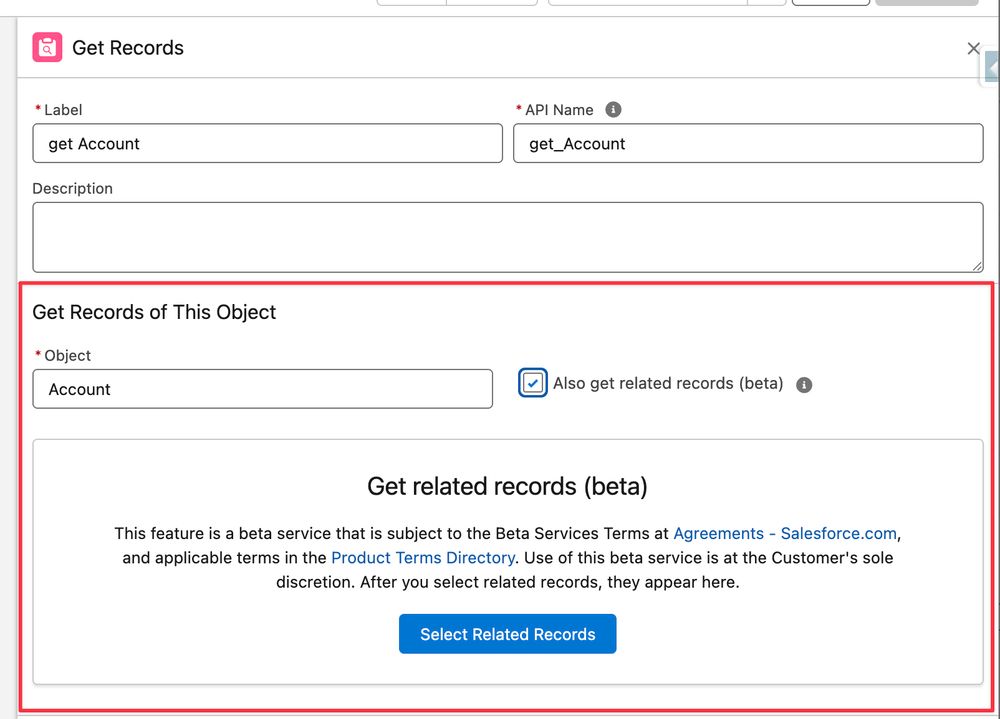
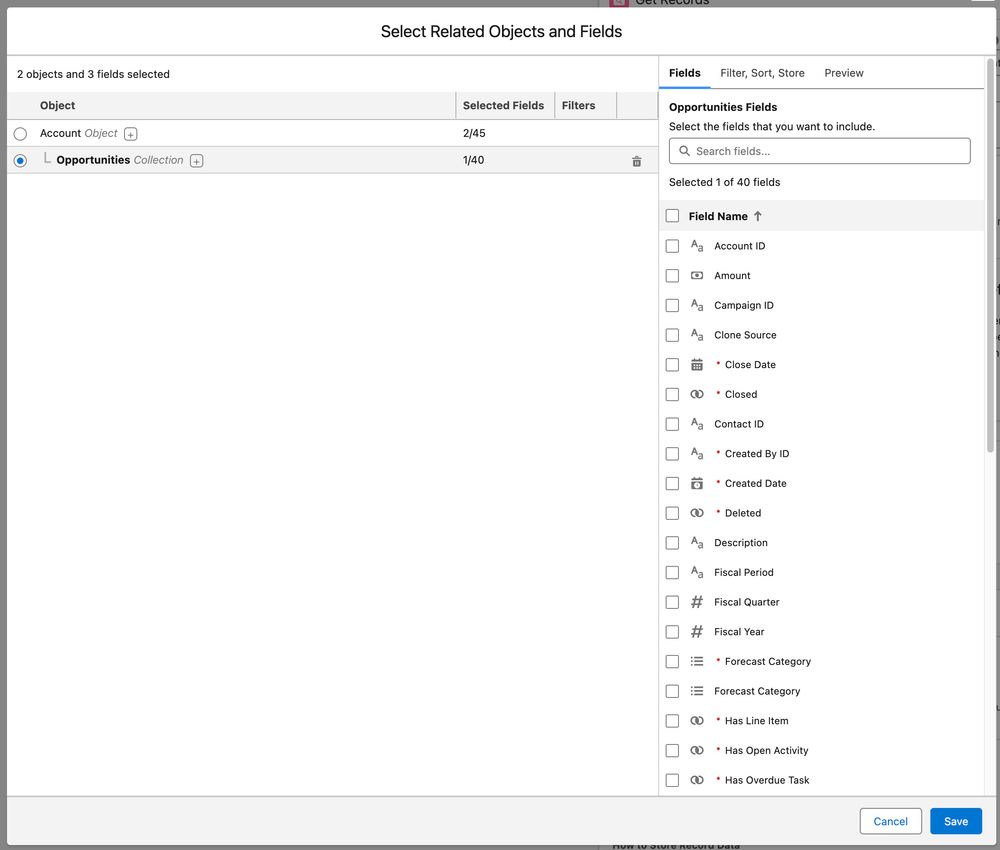
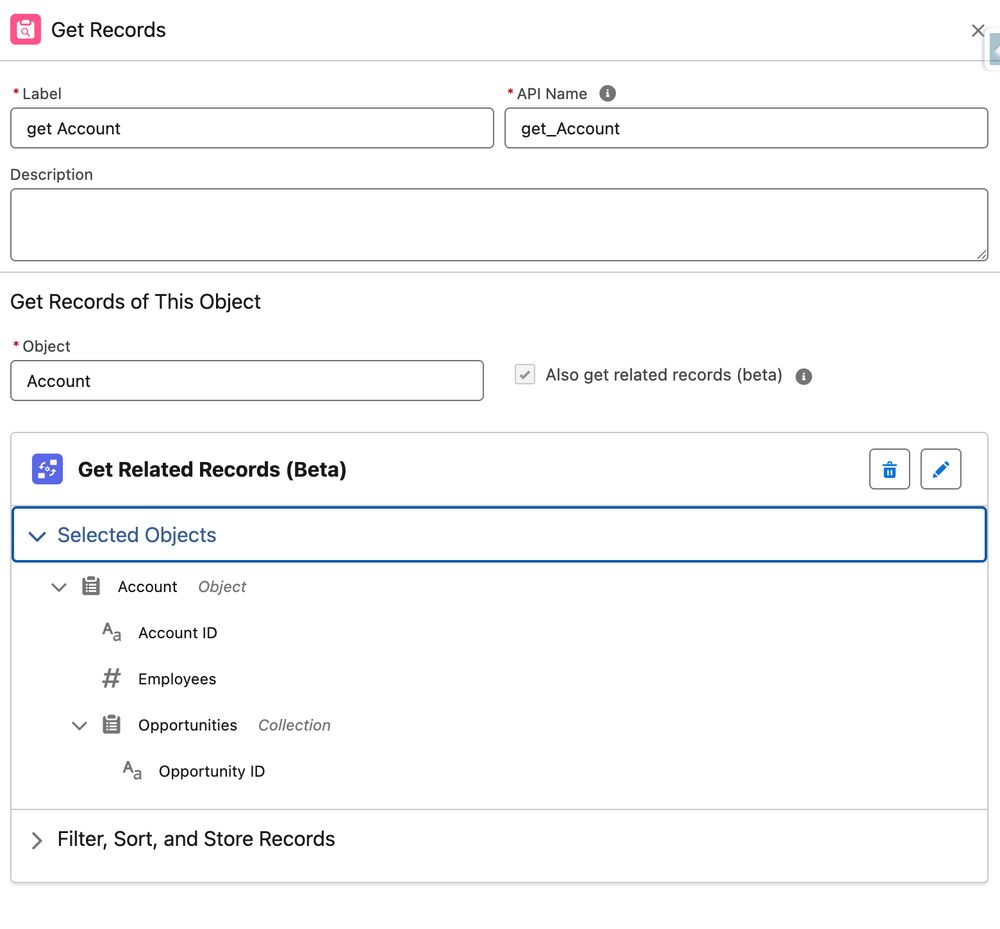
With a single Get Records element in your Flow, you can now (Summer '25) retrieve records related to the selected object's record. For example, when you get Accounts, you can now get Related Opportunities while using the same element. Totally worth checking this out!

With Summer '25, there is an additional consideration that you should be making when creating a new Screen Flow in Salesforce, and that is... how big should the screen be!
The size picker option is simple, yet super useful.
Here's a quick guide: youtu.be/hFzs3KXeOQo...
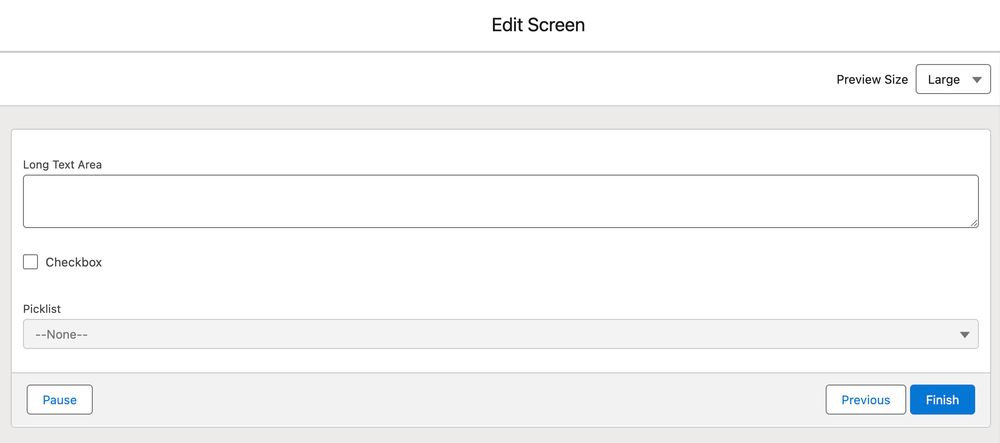
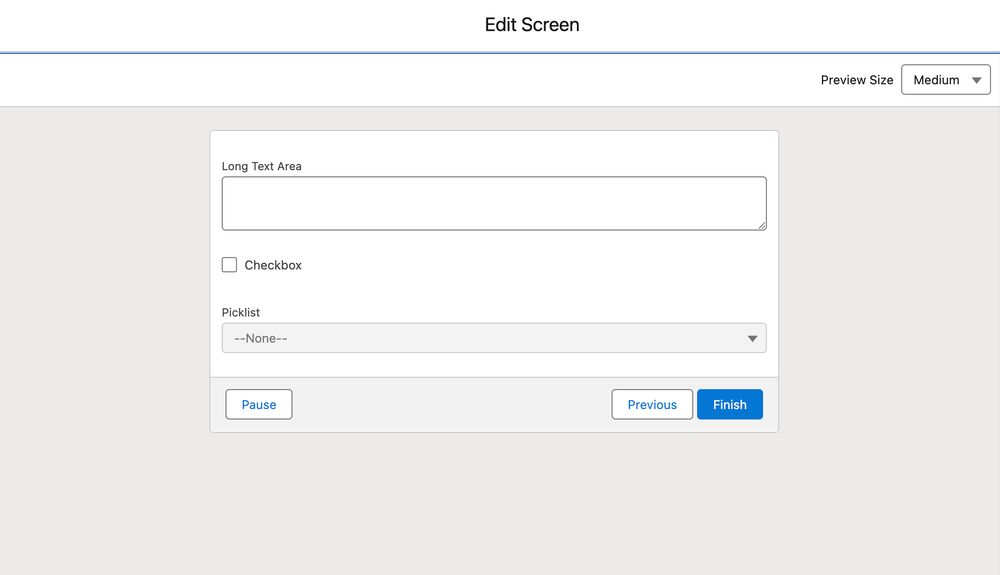
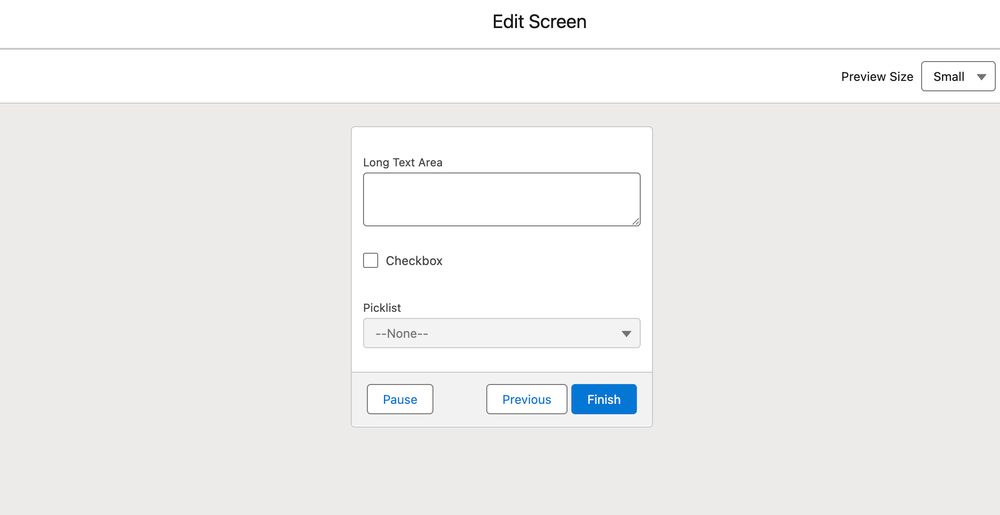
Summer 25 lets you take charge of your screen size! Tailor your flows to fit perfectly with how they'll be used. Choose from three options: Small, Medium, and Large.
Examples:
Salesforce Certified Administrator ➝ Salesforce Certified Platform Administrator
Salesforce Certified Associate ➝ Salesforce Certified Platform Foundations
Tableau Certified Data Analyst ➝ Salesforce Certified Tableau Data Analyst
wow, must of been good then!

Learn how you can use the Visual Picker Component in Screen Flows, so that when Summer 25 is live, you have everything you need to implement it.
Here's a quick guide: youtu.be/3MjdlRqJ1-Q...

Dive into Summer '25 with a splash of visual upgrades for Salesforce Flows! In this video, we'll explore four exciting new enhancements you won't want to miss.
🔴 Video: youtu.be/Exv2sOcISpA...
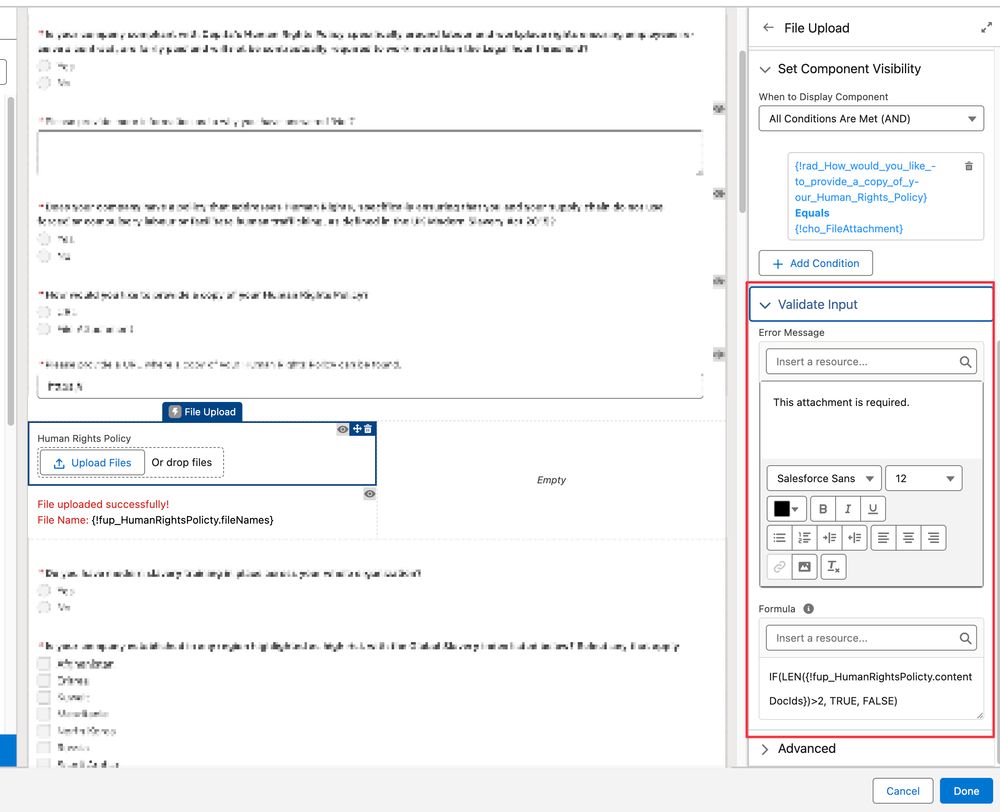
It's often the small tweaks that create the biggest impact. Take the ability to set the File Upload component as mandatory in a Screen Flow. This change is a game-changer—I can ditch the formula writing for good!
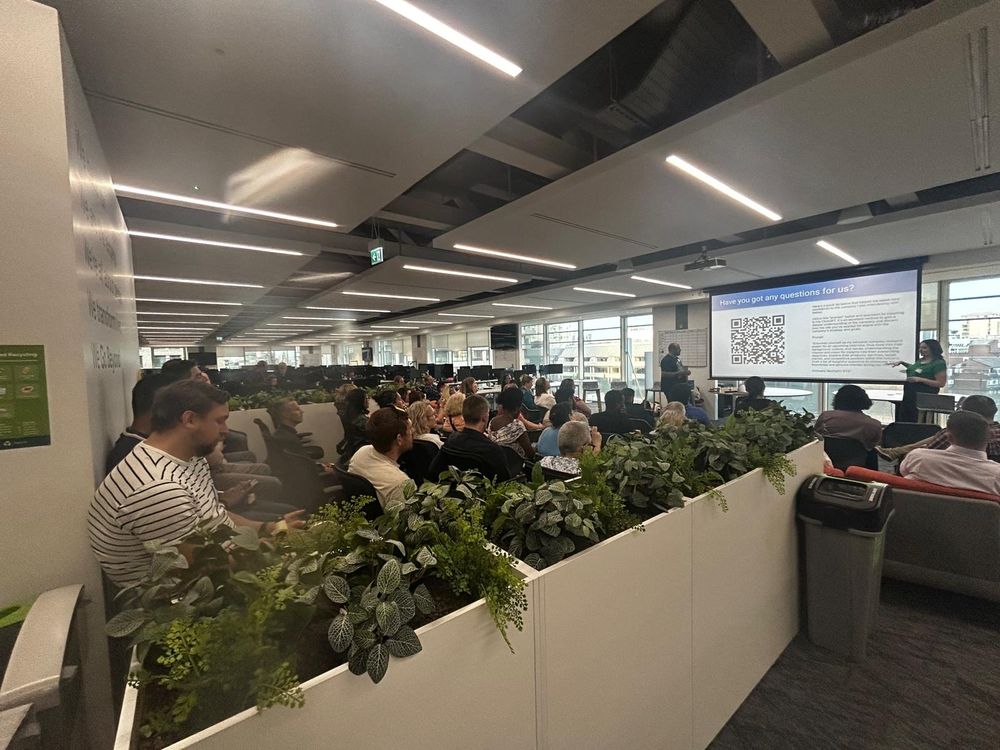
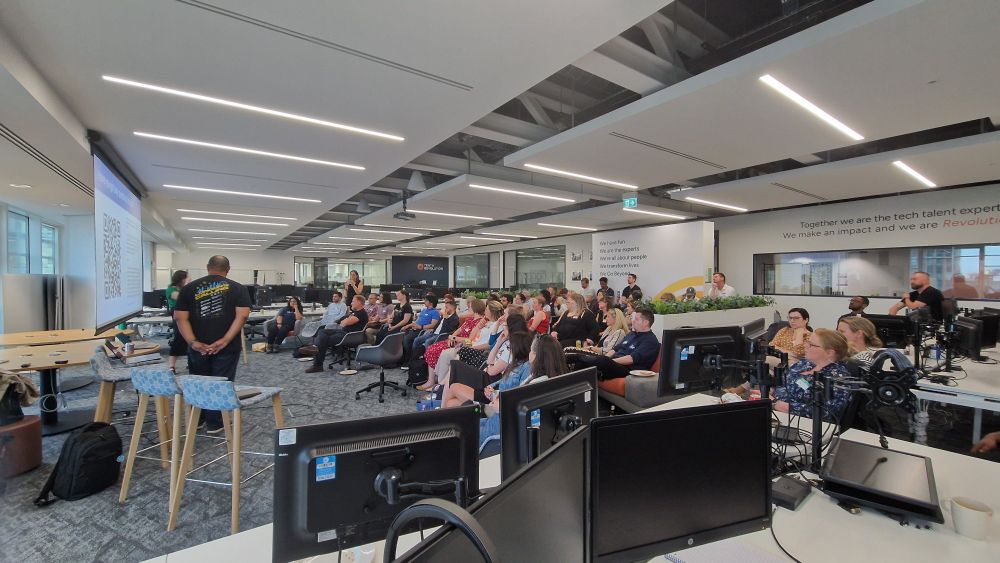
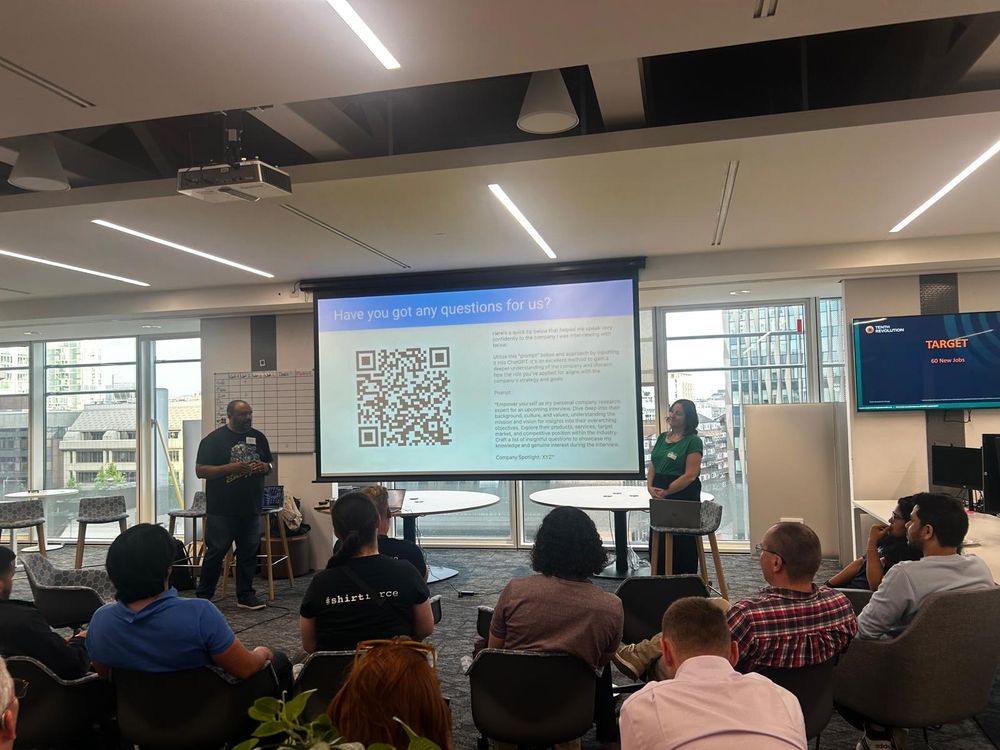
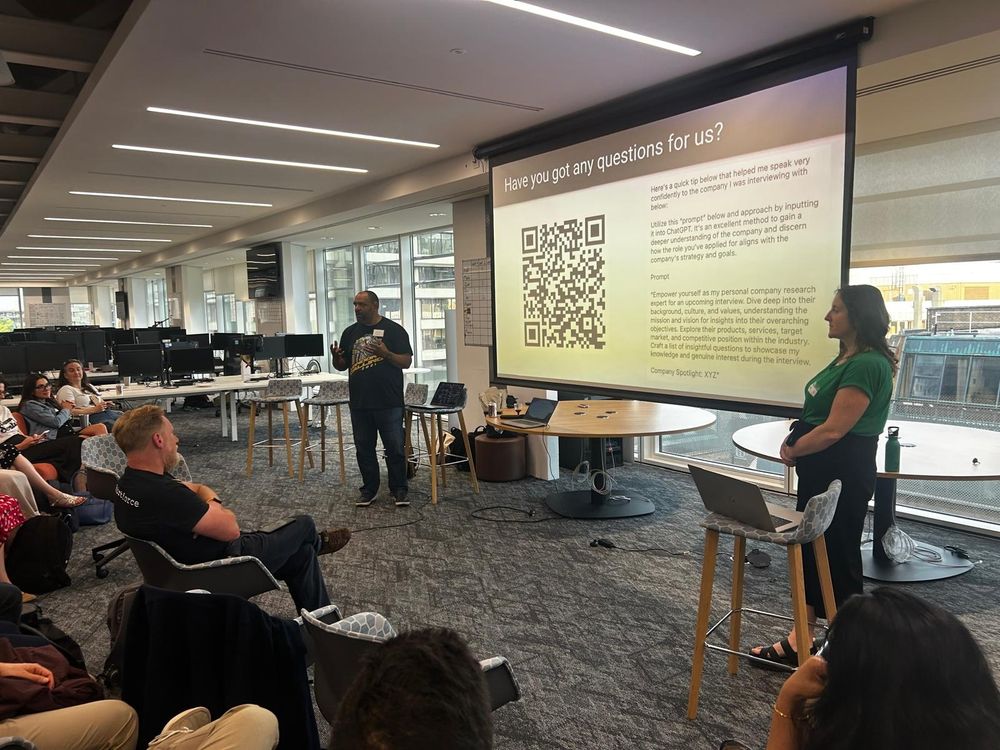
A true pleasure to be part of the @laugsfadmns.bsky.social team, when so many #trailblazers show up. Tonight, thanks to @nsombu.bsky.social and #superstar Abigail Green for demo'ing how to 'Ace your Interview'. Top tips for answering questions and getting prepared so that you're 💯% ready to nail it!
haha

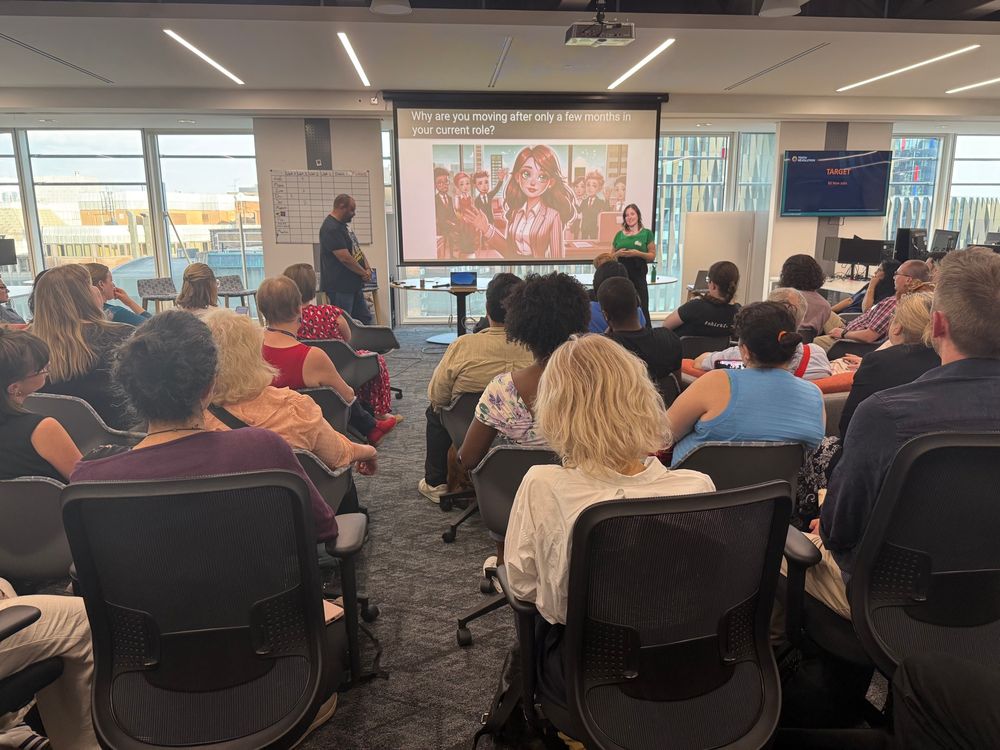
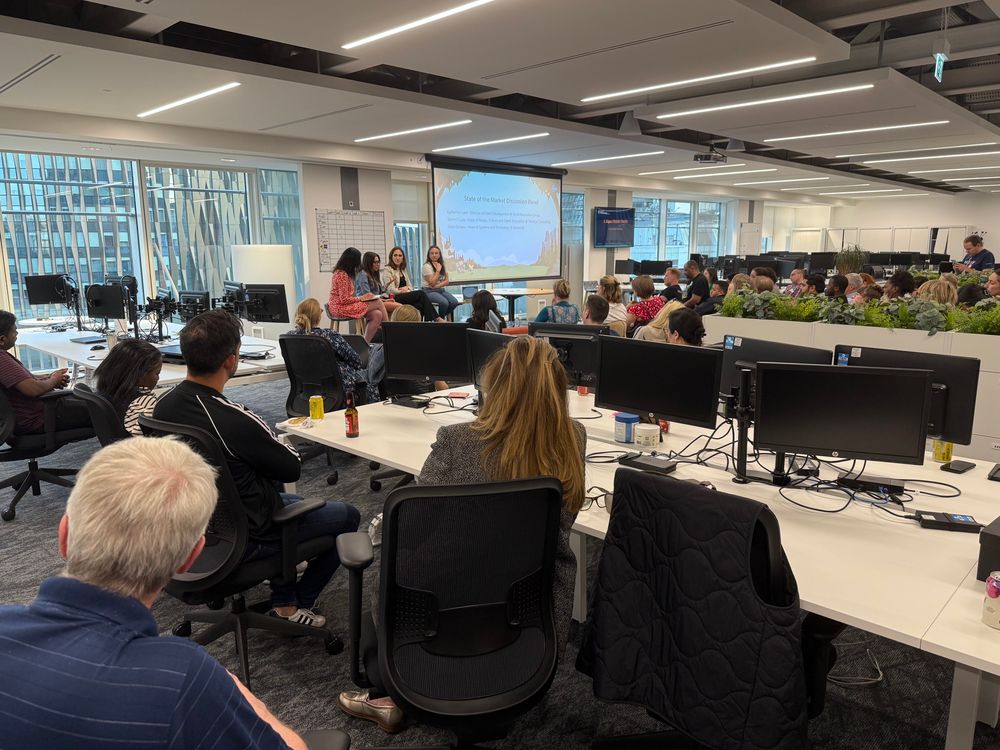
@laugsfadmns.bsky.social great event today! Thank you. Plus @salesforcewill.bsky.social jokes were 🔥🤣
🔥🔥🔥

Discover a new way to work with Permission Sets in Salesforce ✨
Take a quick look at the new UX for Permission Sets and quickly manage permissions in a single view
🔴 Here's a quick guide:
youtu.be/pTEx8cNpP_U...

So, who is going to #Dreamforce this year? The biggest and best tech event in the Salesforce event calendar? ... well, excluding @ldnscall.bsky.social of course 😂
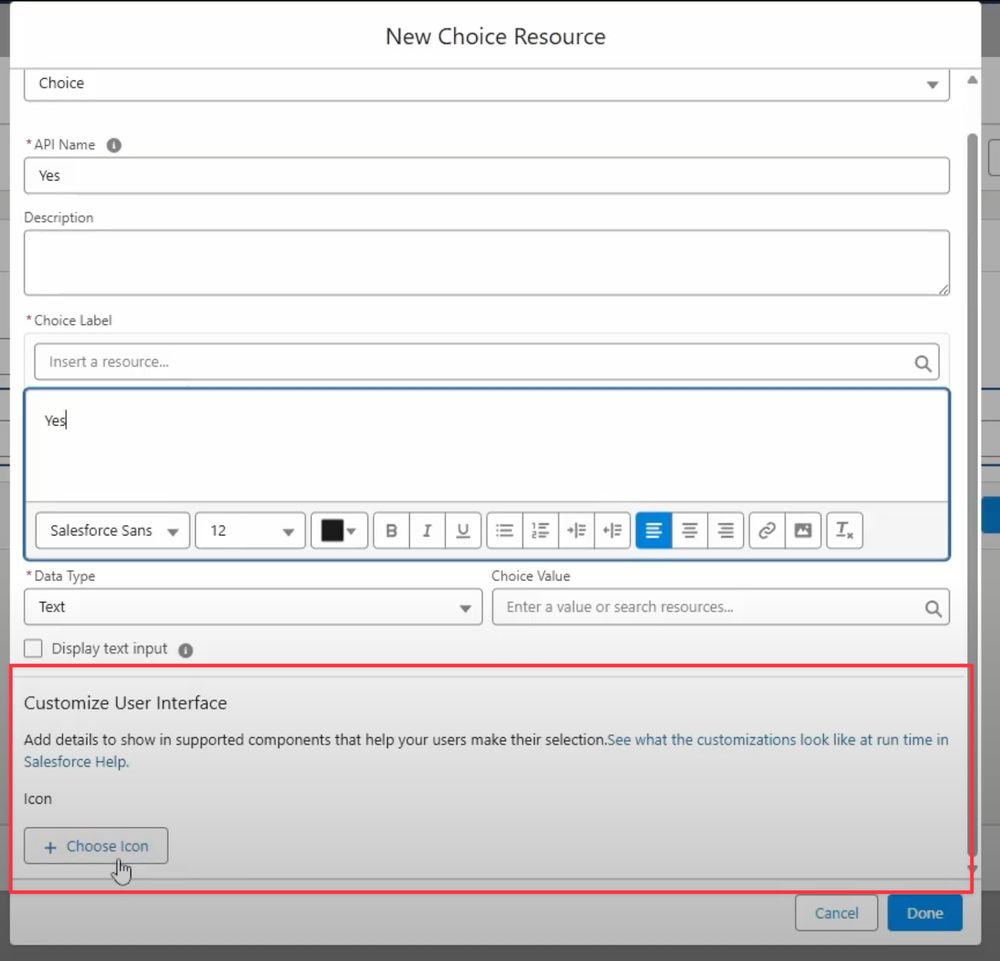
Screen Flows are receiving a big visual enhancement with new user interface customisations! Here's an example: a new Choice Resource now allows you to attach an icon to your choice values.
😬

Enhance user experience in Salesforce effortlessly with icons next to fields using Conditional Formatting.
Discover how to visually highlight important data for your users.
Here's a quick guide: youtu.be/MYdXWv_D2C4...
Leg day at the gym followed by a two-hour drive? Baaaad idea!
Some new features include:
- View steps in a Card form
- Filtering and Search
- Formatting CRUD
- Summary by element
- Expansion (make it bigger for better visibility)
- Copying (for sharing and collaboration)
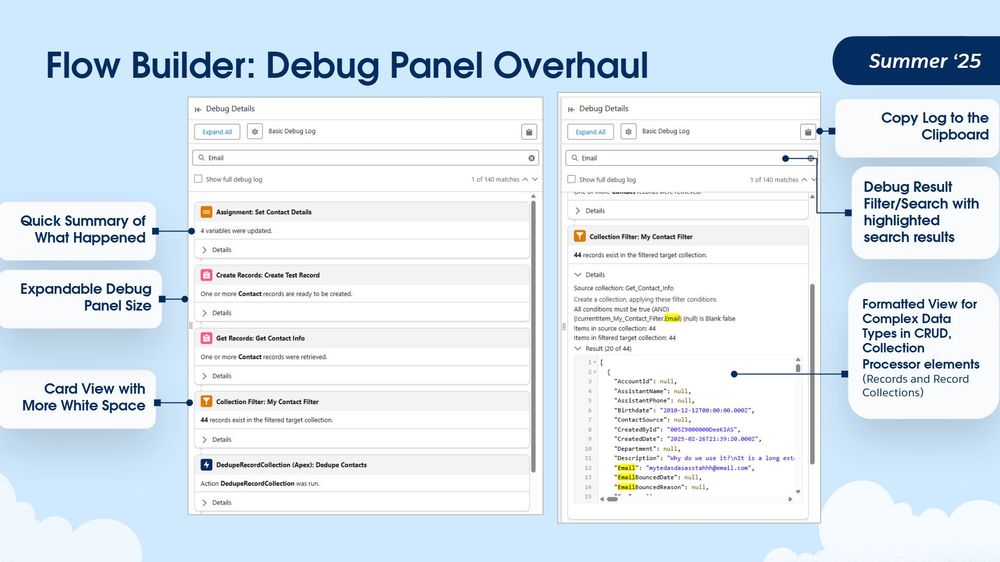
The Debug Panel is getting a huge upgrade!
Salesforce is finally receiving the much-needed improved debug panel, providing more detailed debugger results for better understanding and clarity.
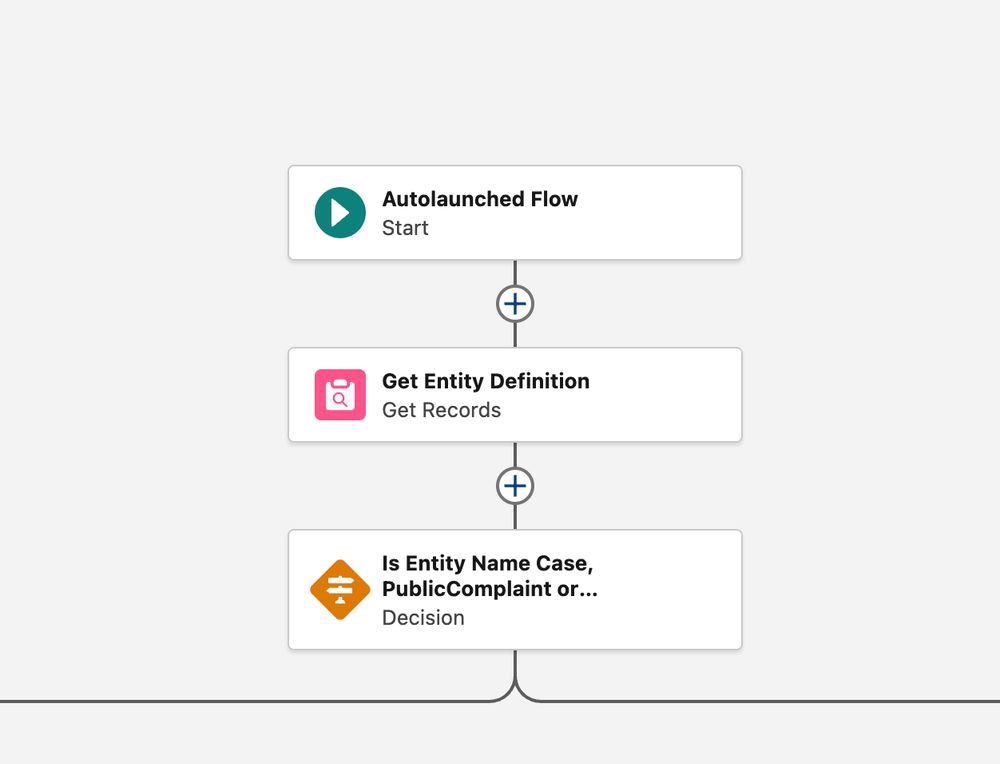
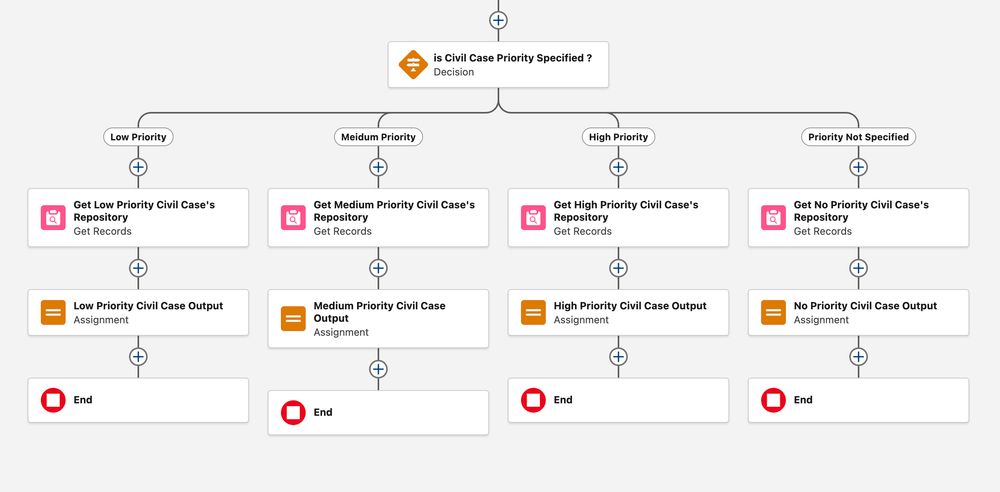
The new flow canvas enhancement is a game-changer! The card format tidies up the elements beautifully, making everything clearer and so much easier to understand ✨
#Salesforce