

Sim's Avatar

Sim

@sim.coffee

I post about iOS and macOS dev, graphics and games. Working on: codea.io shade.to and retrogram.app

88
Followers
345
Following
8
Posts
14.11.2024
Joined
Posts Following

Latest posts by Sim @sim.coffee

Preview
Codea. Creative Coding for iOS Codea turns your device into a powerful visual coding tool. Bring your ideas to the screen

And check out Codea here codea.io

09.03.2025 04:38 πŸ‘ 1 πŸ” 0 πŸ’¬ 0 πŸ“Œ 0
Preview
Code Notes We are excited to release Code Notes. A new feature in Codea that lets you draw on your code Code Notes is the most natural way to get ideas out of your head and into your code. When I write co...

You can read more at sim.coffee/code-notes/

09.03.2025 04:38 πŸ‘ 1 πŸ” 0 πŸ’¬ 1 πŸ“Œ 0
Page from real notebook with child’s drawing on one page and game notes on the other
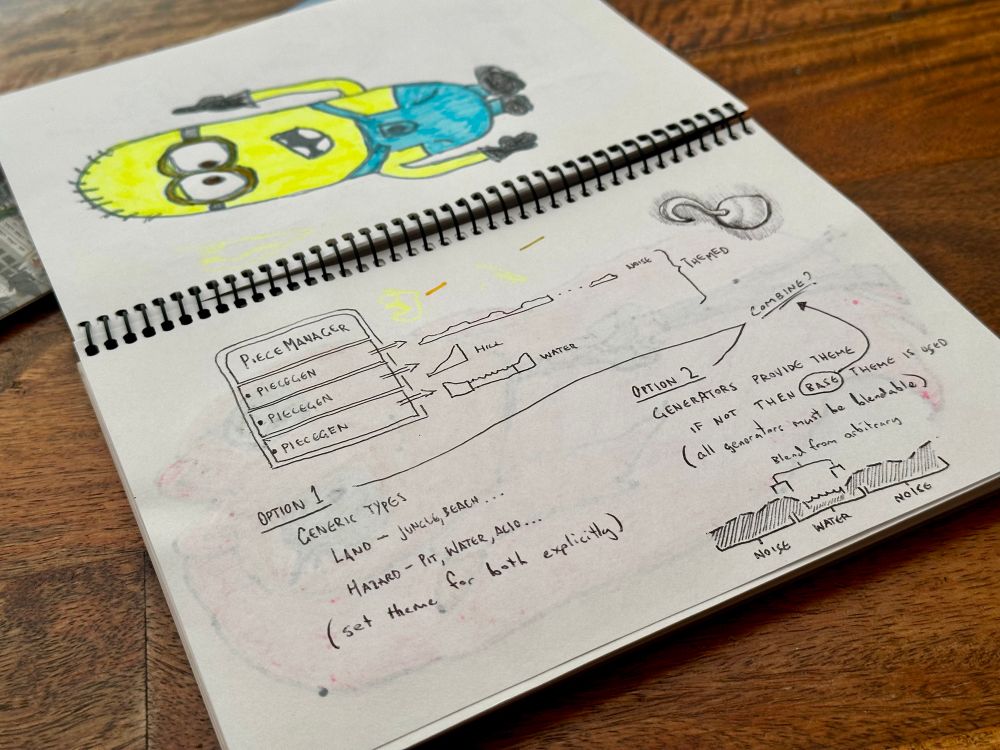
Page from real notebook with child’s drawing on one page and game notes on the other

Page from real notebook with child’s drawing on one page and game notes on the other

Page from real notebook with child’s drawing on one page and game notes on the other

(Eventually the kids found my old notebooks and added their art)

09.03.2025 04:38 πŸ‘ 2 πŸ” 0 πŸ’¬ 1 πŸ“Œ 0
Page from real notebook with diagrams for a jungle themed game

Page from real notebook with diagrams for a jungle themed game

Page from real notebook with diagrams for a jungle themed game

Page from real notebook with diagrams for a jungle themed game

Page from real notebook with diagrams for a jungle themed game

Page from real notebook with diagrams for a jungle themed game

Page from real notebook with diagrams for a jungle themed game

Page from real notebook with diagrams for a jungle themed game

And here’s the notebook from the first game I ever developed (Wheeler’s Treasure, 2009. I wish I still had the code for it!)

09.03.2025 04:38 πŸ‘ 0 πŸ” 0 πŸ’¬ 1 πŸ“Œ 0
Video thumbnail

I’ve always used visuals to code, so this feature is personal. For example, here’s my Codea notepad as it currently lives in my iPad

09.03.2025 04:38 πŸ‘ 0 πŸ” 0 πŸ’¬ 1 πŸ“Œ 0
Video thumbnail

They scroll with your code and live with your project. When you share your project, you’re sharing a sketchbook of ideas as well as code

09.03.2025 04:38 πŸ‘ 0 πŸ” 0 πŸ’¬ 1 πŸ“Œ 0
Screenshot of a page of code for drawing clouds. Hand drawn notes annotate the right margin with diagrams and explanations

Screenshot of a page of code for drawing clouds. Hand drawn notes annotate the right margin with diagrams and explanations

If you never use Code Notes, you don’t see it. Bringing the Apple Pencil close to your screen will fade in grid paper beneath your code, then you just start drawing. Taking your pencil away takes you back to coding, but your visual annotations remain

09.03.2025 04:38 πŸ‘ 1 πŸ” 0 πŸ’¬ 1 πŸ“Œ 0
Video thumbnail

We have just released Codea 3.13. It has a new feature we’re calling Code Notes

Code Notes lets you use your Apple Pencil to write, scribble or draw on your code. Make your intentions clear, or obscure them completely

09.03.2025 04:38 πŸ‘ 2 πŸ” 0 πŸ’¬ 1 πŸ“Œ 0