I recently got a fancy OLED monitor, so I've been exploring HDR render targets and SDR/HDR swapchain output with various tone-mapping operators in D3D12 & Vulkan. (SDR video but you get the point.) It's cool and fun :) #odinlang
23.01.2026 22:38
👍 2
🔁 0
💬 0
📌 0
Excellent video! :)
I like that the optimisation is clearly guided by the game design goals, and the problems/solutions are explained with tradeoffs and simplified examples. Looking forward to more!
07.01.2026 00:43
👍 1
🔁 0
💬 1
📌 0
I think there's a smooth scrolling issue with the demo; this happens to me in Zen and Brave.
09.12.2025 08:03
👍 1
🔁 0
💬 1
📌 0
Thank you :)
I do depth comparison a few pixels down from the current fragment to see if it's larger than some threshold. Seems to work alright.
02.12.2025 23:40
👍 0
🔁 0
💬 0
📌 0
Yeah I use lerp/smoothstep to subtly blend between each step of the toon shader. Likewise, the cloud noise it not perfectly sharp, which helps with flickering. Good luck with the shader programming, it's fun to learn!
20.09.2025 23:07
👍 1
🔁 0
💬 1
📌 0
I probably had the grass density too high, it can really be more sparse and still have the desired effect. The clouds are a global noise texture sampled in the light function with world space UVs (when LIGHT_IS_DIRECTIONAL) and used as attenuation for my custom toon shading.
19.09.2025 23:25
👍 1
🔁 0
💬 1
📌 0
I don't know how Unity does rendering these days, but Godot uses forward rendering, so I just put my custom outline material on each object and it works. In the Water section of the article I have a paragraph about the depth/normals pre-pass, as that information is required for the outlines.
04.08.2025 22:11
👍 1
🔁 0
💬 0
📌 0
You can either bake that information into the multimesh instance data or sample it from a texture. For my tree leaves, I sample positions/normals on a mesh and pass that into the multimesh. If you're doing procedural terrain grass, let's hope you have a heightmap to sample from.
24.07.2025 22:47
👍 1
🔁 0
💬 0
📌 0
No problem. You'll need to make sure all your inputs to your lighting model are the same for grass and ground. I set LIGHT_VERTEX equal to the model origin (MODELVIEW_MATRIX[3].xyz) and NORMAL equal to ground/surface normal.
24.07.2025 22:12
👍 0
🔁 0
💬 1
📌 0
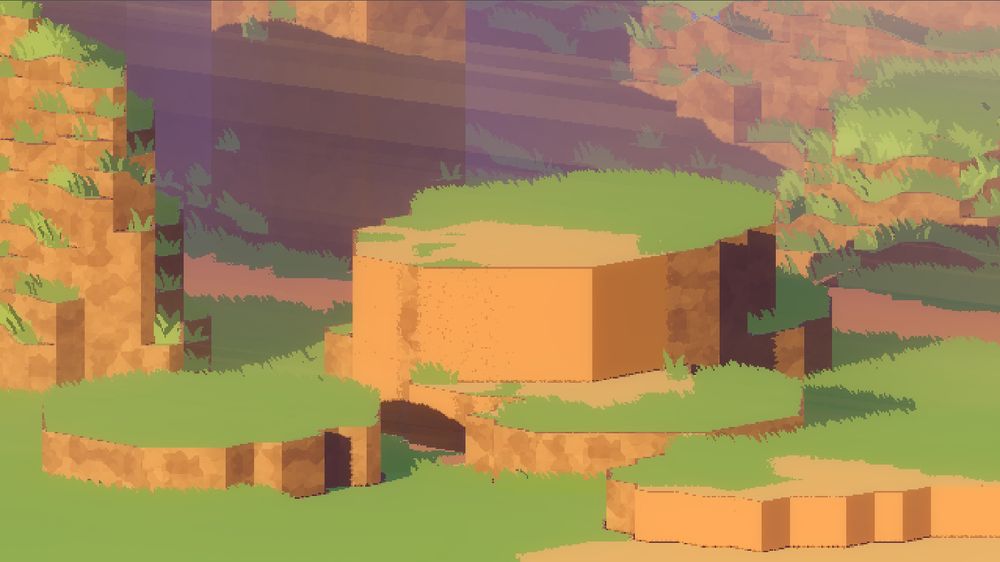
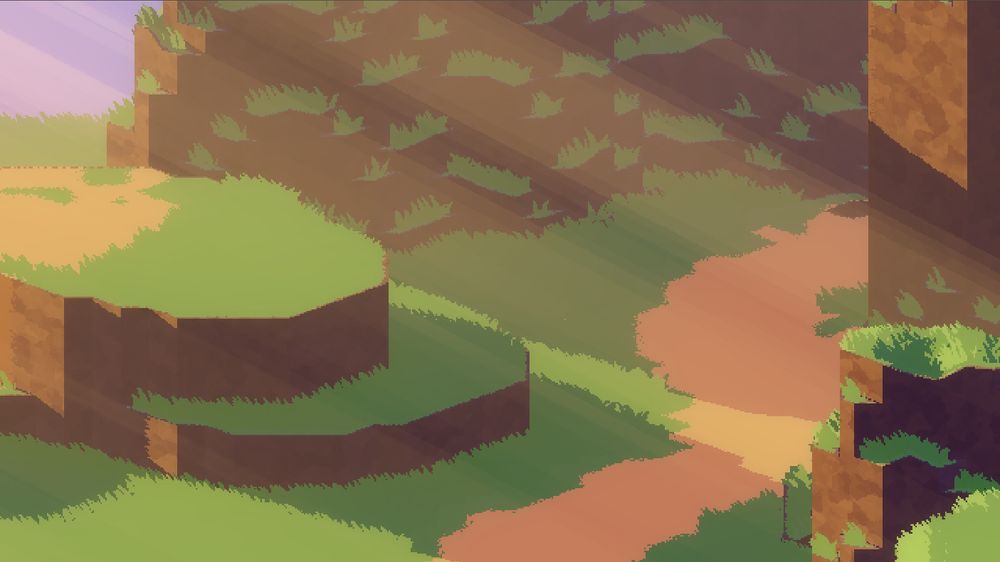
@davidhol.land vi just wanted to thank you for the guide on the godrays, i managed to get it working! Thank you so much
13.07.2025 16:25
👍 6
🔁 2
💬 1
📌 0
Thanks, I'm seeing how far I can get without engines or libraries. I'll still use Godot for prototypes and game jams.
21.06.2025 02:11
👍 0
🔁 0
💬 0
📌 0
The game from scratch is going well :)
I got vulkan & d3d12 renderers, code hot-reload, shader hot-reload, single draw call ui; and stable, frame-rate independent update loop. Going to have a stab at audio next. #odinlang
14.06.2025 13:06
👍 8
🔁 1
💬 2
📌 0
Thanks, friend. Specifically for this style, it can be hard to add a sense of depth to the scene without it looking too 3D, which is why I spent much effort on the god-rays. Also, smooth shading can look odd, but sharp shadows can cause flickering, due to the low resolution; it's a balancing act.
09.06.2025 10:04
👍 0
🔁 0
💬 0
📌 0
Man I've ran into this many times, following a bunch of overloaded classes/methods just to find what the "default" values of a struct are.
05.06.2025 23:45
👍 0
🔁 0
💬 0
📌 0

Perhaps this crudely drawn diagram may help(?)
25.05.2025 05:54
👍 1
🔁 0
💬 1
📌 0
a point on the plane; I check the shadow attenuation at that point (using a custom Godot shader language function), coloring the fragment if lit; then ray march a few more times using a defined gap to create the layers of light.
25.05.2025 05:54
👍 1
🔁 0
💬 1
📌 0
I find it difficult to explain, but I'll give it a shot. I have a post-processing shader that ray marches into the scene; there is a mathematically defined plane in world space that is parallel to the sun direction; in view space, using the x/y coords of the current fragment, I solve for z to get...
25.05.2025 05:54
👍 3
🔁 0
💬 1
📌 0

I’m reading The Art of Game Design and this is the best lens illustration so far.
17.05.2025 08:43
👍 5
🔁 1
💬 0
📌 0
… the distance from the cell centre, used to animate the lines length.
21.04.2025 00:41
👍 0
🔁 0
💬 1
📌 0
The red and green channels encode a vector pointing away from the centre of each cell. That way, my shader can extract the horizontal direction relative to the view, even when rotated. The blue channel is random per cell, used for timing offset of animation. Alpha channel is…
21.04.2025 00:39
👍 0
🔁 0
💬 1
📌 0
Thanks! I'm not totally sure, just building out mechanics that I like. Something single player, with minimal systems; a little adventure :)
25.03.2025 22:29
👍 2
🔁 0
💬 0
📌 0

3D Pixel Art Rendering
What I've learned making 3D pixel art in Godot and beyond.
I've added Open Graph meta tags to my website so now link cards should look nice :)
22.11.2024 07:51
👍 22
🔁 6
💬 8
📌 0
yeah i'm still doing this sometimes #pixelart #shaders #godot #gamedev
24.09.2024 03:30
👍 13
🔁 2
💬 2
📌 0
I'M VERY SORRY 😭
01.11.2023 09:49
👍 0
🔁 0
💬 1
📌 0
How my 3D PIXEL ART Camera Works
some godot things :)Source repository: https://git.sr.ht/~denovodavid/3d-pixel-art-in-godotNext-Gen Pixel Art - Astortion Devlog #20: https://youtu.be/jguyR4...
I made this video just for you under the guise that you were wondering how a 3D pixel art camera works :)
01.11.2023 09:44
👍 3
🔁 0
💬 1
📌 0

Playdate console
I’m ready to crank #playdate #gamedev
14.10.2023 03:52
👍 6
🔁 0
💬 0
📌 0

3d pixel art render of a sword on a rock surrounded by shallow water
hello bsky :)
I like water #pixelart #shaders #godot #gamedev
08.10.2023 06:29
👍 24
🔁 1
💬 1
📌 0


